
Trading and Investment Platforms
The programs you use to access financial markets — from MetaTrader, cTrader and TradingView to the proprietary platforms of our regulated partners. We explain and compare them, partner by partner.
- MetaTrader
- cTrader
- TradingView
- Partner comparison
- Platform selector
- FAQ
What a trading platform is
A trading platform is the program where you watch prices in real time, analyse charts and place orders on the market. In short, it is the interface between you and the financial markets.
Without a platform, a trader could not send orders to a broker and on to the market. The platform displays quotes, shows you the spread, lets you place protective orders and tracks your open position with its running profit or loss.
The same platform can be offered by dozens of different brokers. Don't confuse the two: the platform is the software, while the broker is the regulated firm that gives you market access through it. If you first want to understand the intermediary's role, the details are in the guide what a broker is.
Most trading platforms are free for the user. Your broker provides them and covers its costs from the spread and commissions, not from selling the software.
A brief history of platforms
Trading started long before screens. On the exchange floor, brokers shouted orders and signalled with their hands — the system known as "open outcry" — while prices travelled on automatically printed paper strips (ticker tape). Later, orders were placed by phone. The road from the crowded exchange floor to a few taps on a phone screen was marked by a handful of moments that changed the game for the everyday trader.
The exchange floor (open outcry). Trades were made face to face, through shouts and hand signals, on the exchange floor. Prices travelled on paper tape (ticker tape).
Early electronic trading. The first electronic terminals start replacing the exchange floor and phone orders.
MetaQuotes Software is founded. The company that would define retail trading for the decades to come.
MetaTrader 4. Becomes the global standard for CFDs, with support for automated trading.
MetaTrader 5. A multi-asset platform, designed for several types of markets.
cTrader and TradingView. Transparent execution and charting straight in the browser, accessible to anyone.
Modern cloud platforms and mobile apps. Trading becomes possible entirely from your phone.
How a platform works
The platform communicates permanently with the broker's server. Prices arrive from liquidity providers and update continuously. When you place an order, it is sent for execution within milliseconds and the result shows up in your account immediately. The platform then calculates in real time your position's profit or loss, the margin in use and the remaining available margin.
The part few people know is where the price you see actually comes from. It doesn't start at your broker but at the world's largest banks: on the interbank market, banks such as JP Morgan or Citi (the top-tier "Tier-1" liquidity providers) quote exchange rates to each other. That price then travels down a chain of intermediaries, and your broker aggregates it and displays it on your screen — the whole journey takes less than a blink. The full chain, link by link, is explained on the page what a broker is.
Live quotes
Prices arrive from liquidity providers and update in real time.
Order execution
The order reaches the broker and is executed at the price available on the market.
Position management
You see profit/loss and margin, and can set protective orders (stop and limit).
There is no single "official" exchange rate in the world. Because the currency market is over-the-counter (OTC), each broker shows you the price of its own liquidity providers — which is why charts of the same pair can differ slightly from one platform to another.
Platform types
Platforms are grouped by several criteria. It pays to understand them, because the same market can be accessed in very different ways depending on your style.
Desktop — the most complete option, with all the analysis and automation tools. Preferred by active traders.
Web — runs straight in the browser, no installation. Quick access from any computer.
Mobile — for monitoring your position and executing fast while on the move.
Universal — offered by many brokers: MetaTrader 4, MetaTrader 5 and cTrader.
Proprietary — developed in-house by a single broker or a single bank.
Trading vs investing — some are built for active trading, others for long-term holding.
The world's most popular platforms
A question we get often: which platform is the most used? The answer depends on what you want to do — active CFD trading, or long-term investing and analysis.
The MetaTrader family (MT4 and MT5), developed by MetaQuotes, is widely recognised as the most widespread retail trading platform in the world. You'll find it at most CFD brokers, including our partners.
For chart analysis and community, TradingView is one of the most used platforms in the world. For real long-term investing, platforms such as Interactive Brokers or Saxo are among the most used at a serious level.
MetaTrader 4 vs MetaTrader 5
This is the most searched comparison in the category. In short: MT4 is simpler and focused on the currency market, while MT5 is multi-asset and more powerful. But "more powerful" doesn't automatically mean "better for you" — it depends on what you trade.
| Criterion | MetaTrader 4 | MetaTrader 5 |
|---|---|---|
| Focus | CFD | Multi-asset (currencies, stocks, futures) |
| Timeframes | 9 | 21 |
| Automation | EAs in the MQL4 language | EAs in MQL5, faster execution |
| Strategy tester | Good | Multi-threaded, more advanced |
| Best for | Beginners and currencies | Advanced, multi-market trading |
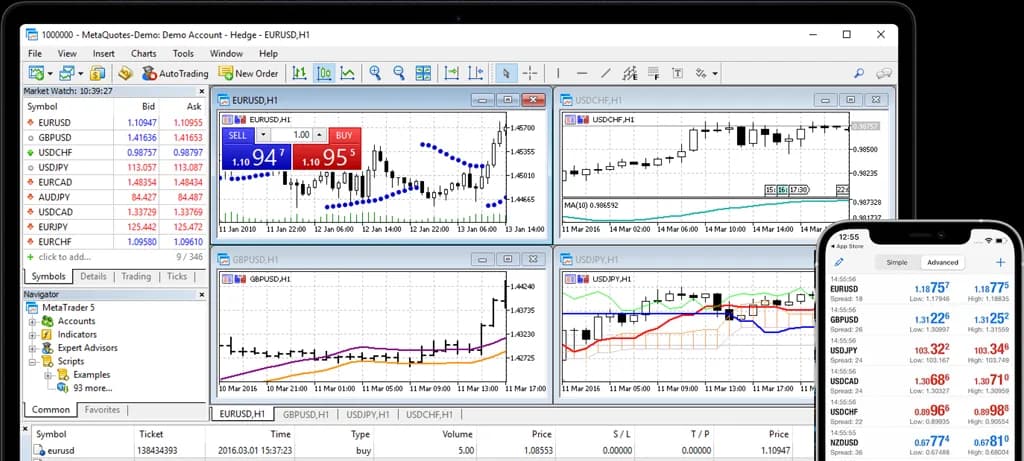
Many accounts still run on MT4 out of habit and because of the huge library of EAs written for it, even though MT5 is technically superior.
cTrader
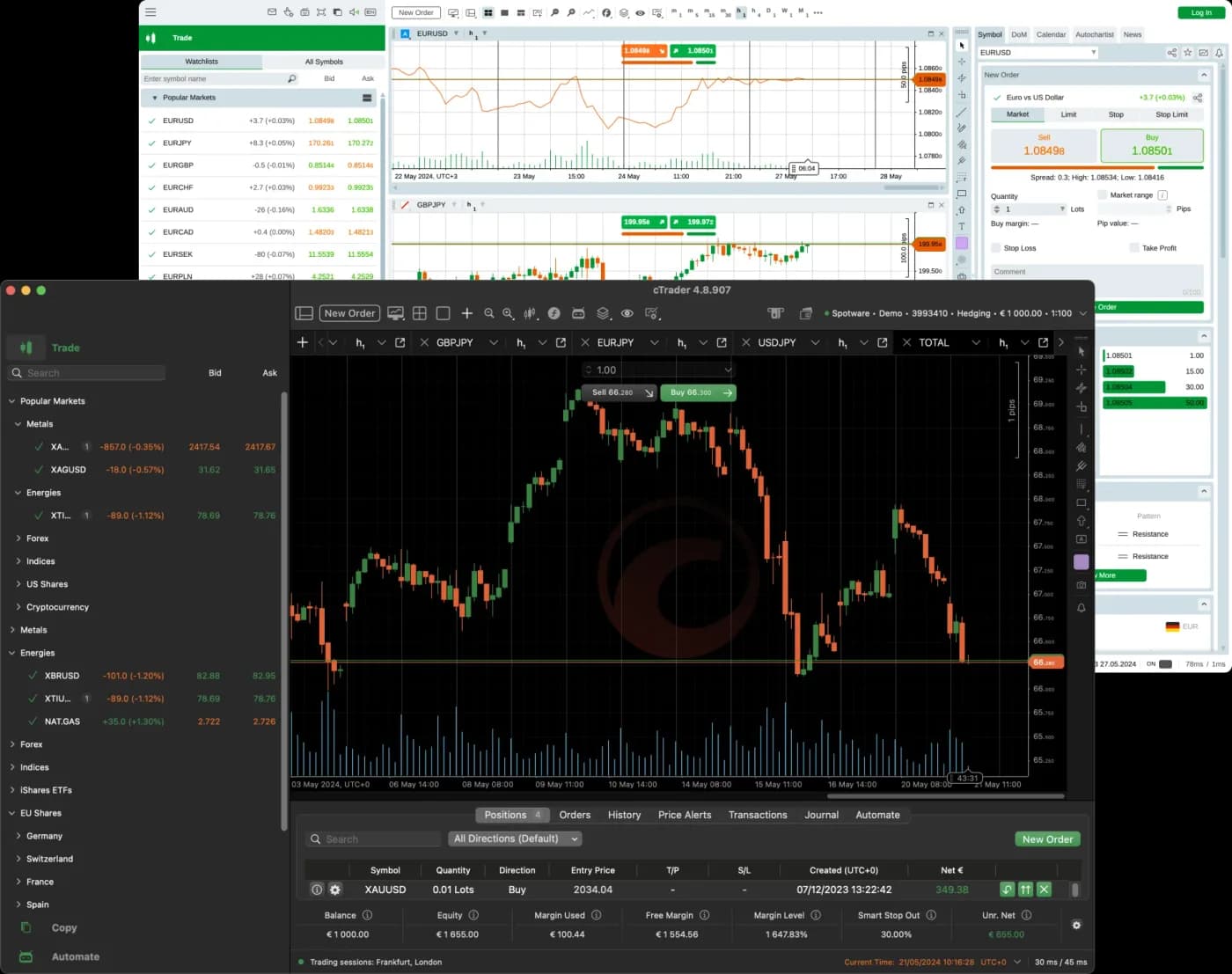
cTrader is appreciated by traders who value transparent execution and high-quality charts. It offers Depth of Market, advanced analysis tools and automation through cBot, written in C#. The interface is modern and clean, which is why many prefer it over MetaTrader.
Among our partners, cTrader is available at FxPro and IC Markets, as well as at several funding companies that use it in their evaluations.
TradingView
TradingView started as a browser-based chart-analysis tool and grew, over time, into a genuine social network for traders and investors. It has some of the best charts available online, its own scripting language Pine Script, and connects to more and more brokers for execution straight from the interface.
Many of our partners let you connect your account to TradingView, so you can do your analysis and execute orders in the same place.
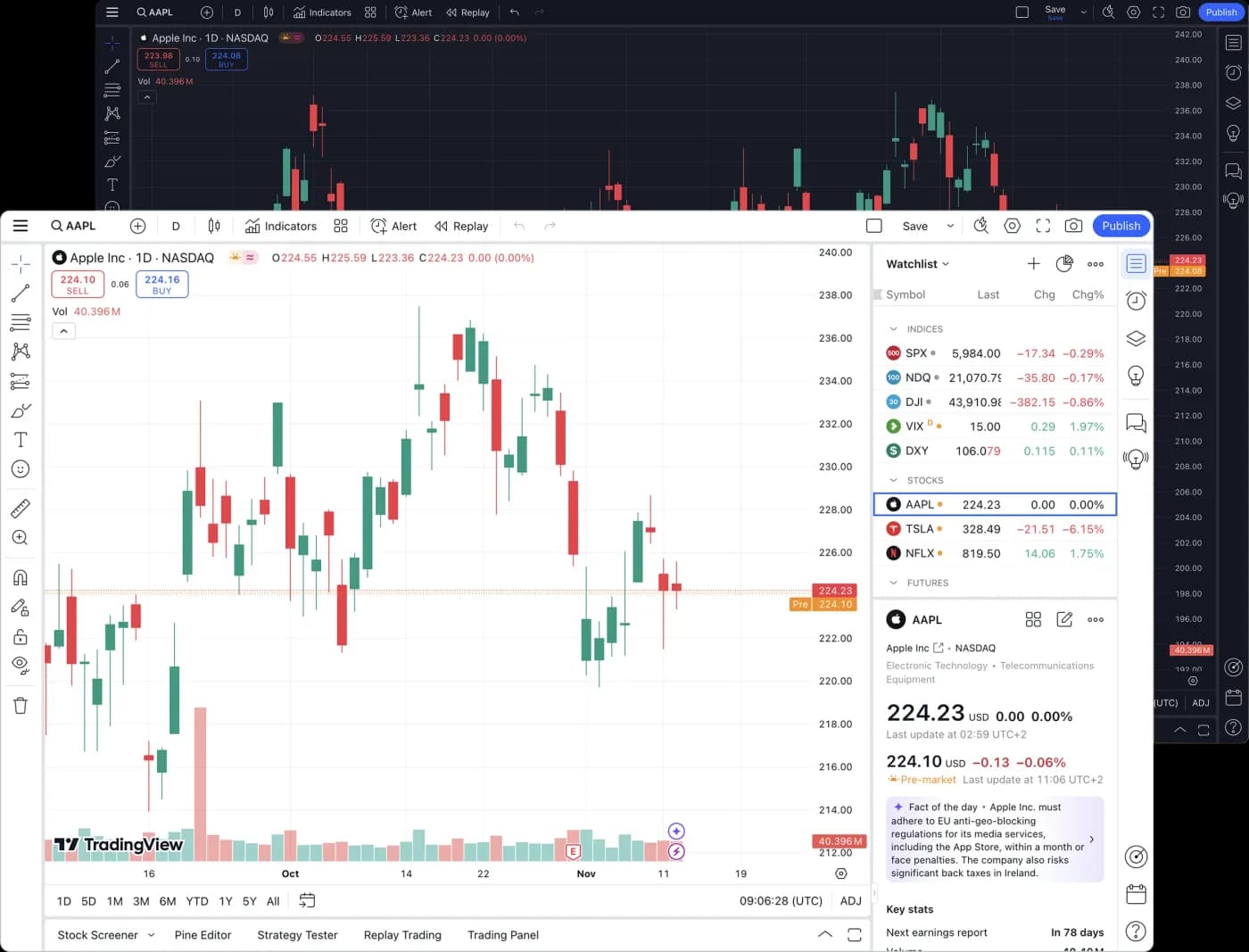
On TradingView you can follow ideas published by other users and test indicators built by the community. It's useful for learning how other traders think — not for copying blindly.
Our partners' proprietary platforms
Beyond the universal platforms, some of our partners have built their own, with features you won't find anywhere else.
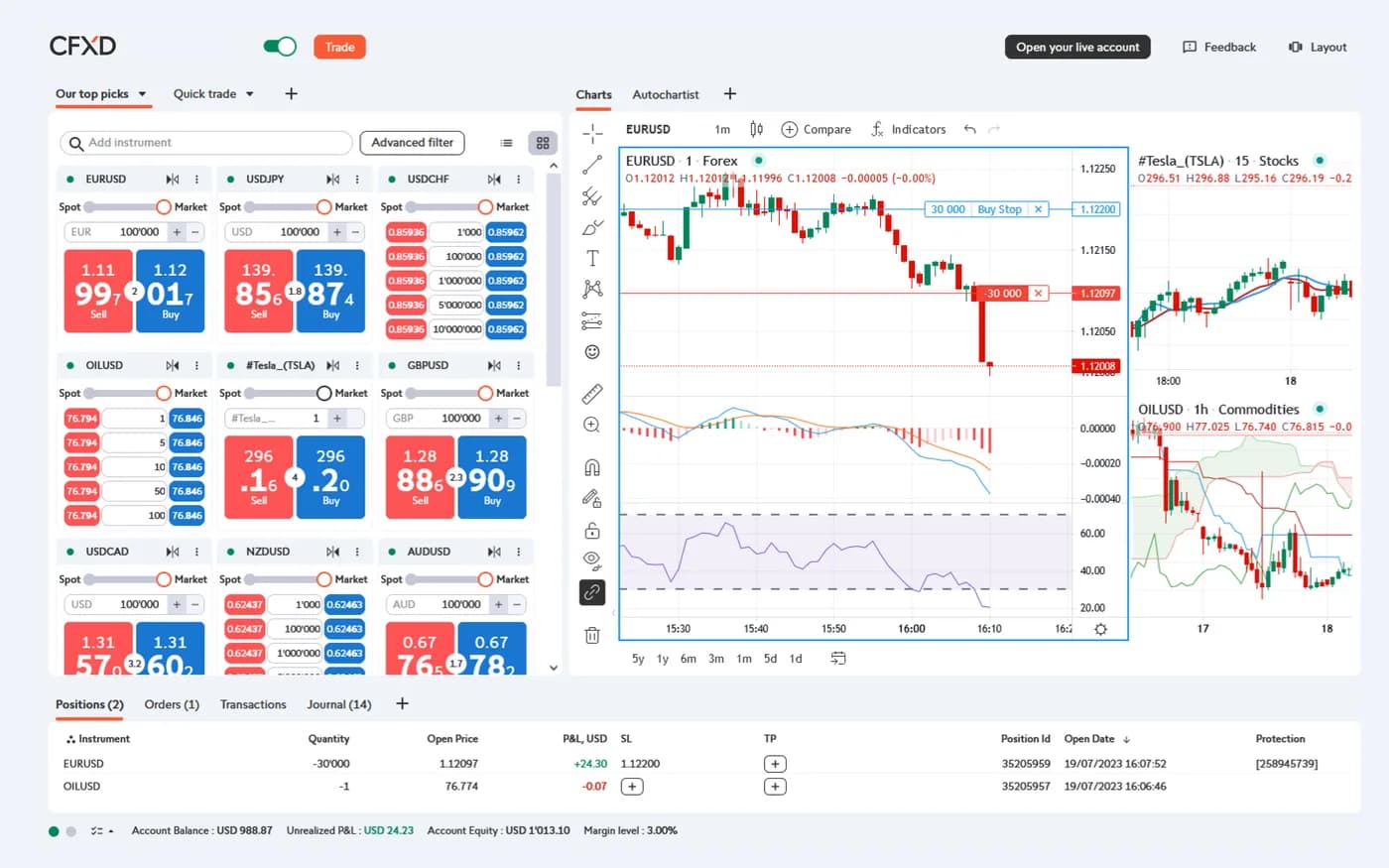
CFXD(formerly Advanced Trader)
The bank's own CFD platform, with TradingView charting and complex order types (OCO, IF-DONE).
Partner: Swissquote Bank
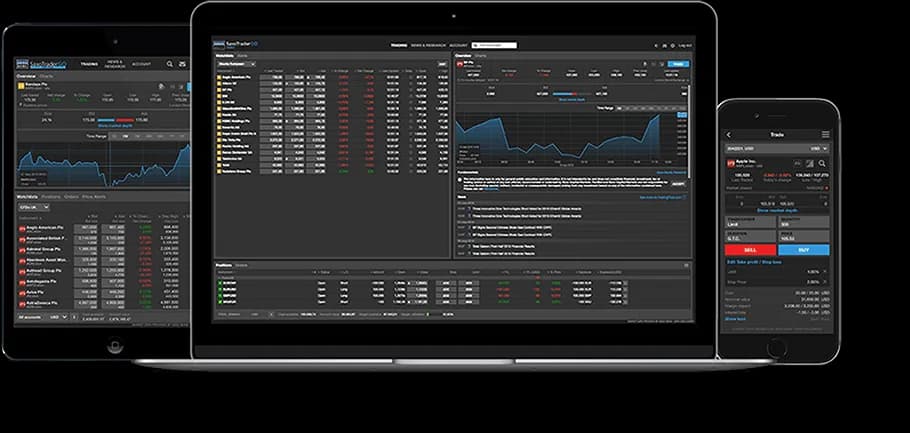
SaxoTraderGO / PRO / Investor
Three proprietary platforms for real multi-asset investing — from a simple portfolio to a professional multi-screen station.
Partner: Saxo Bank (EU clients)
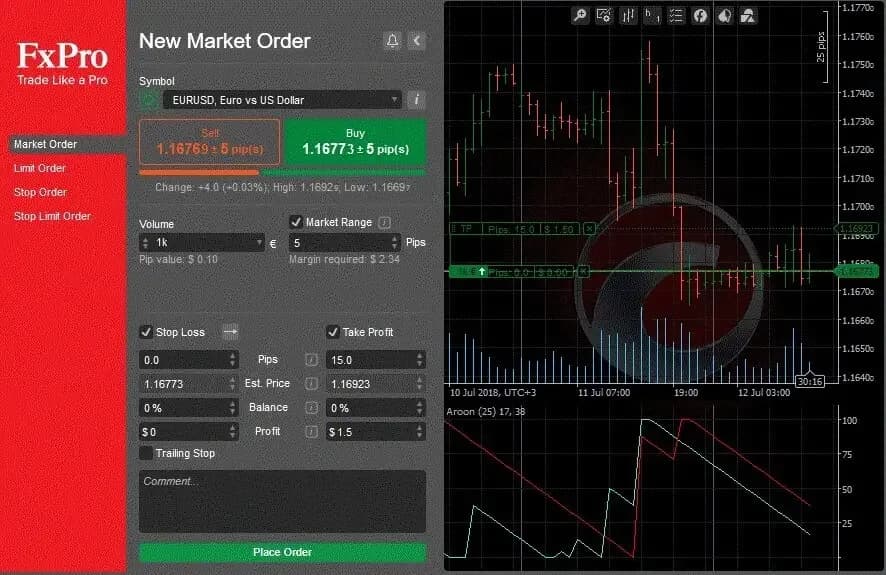
FxPro Edge
FxPro's own browser platform, alongside MT4, MT5 and cTrader.
Partner: FxPro
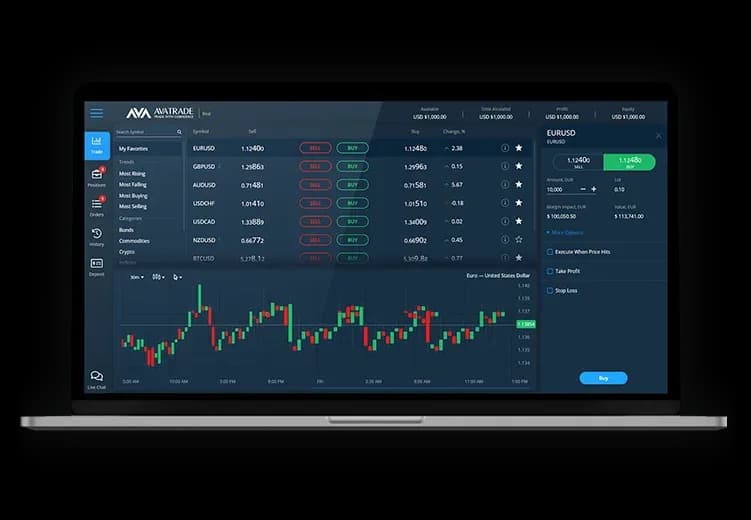
AvaTradeGO
AvaTrade's own mobile app for tracking your account and trading on the go.
Partner: AvaTrade
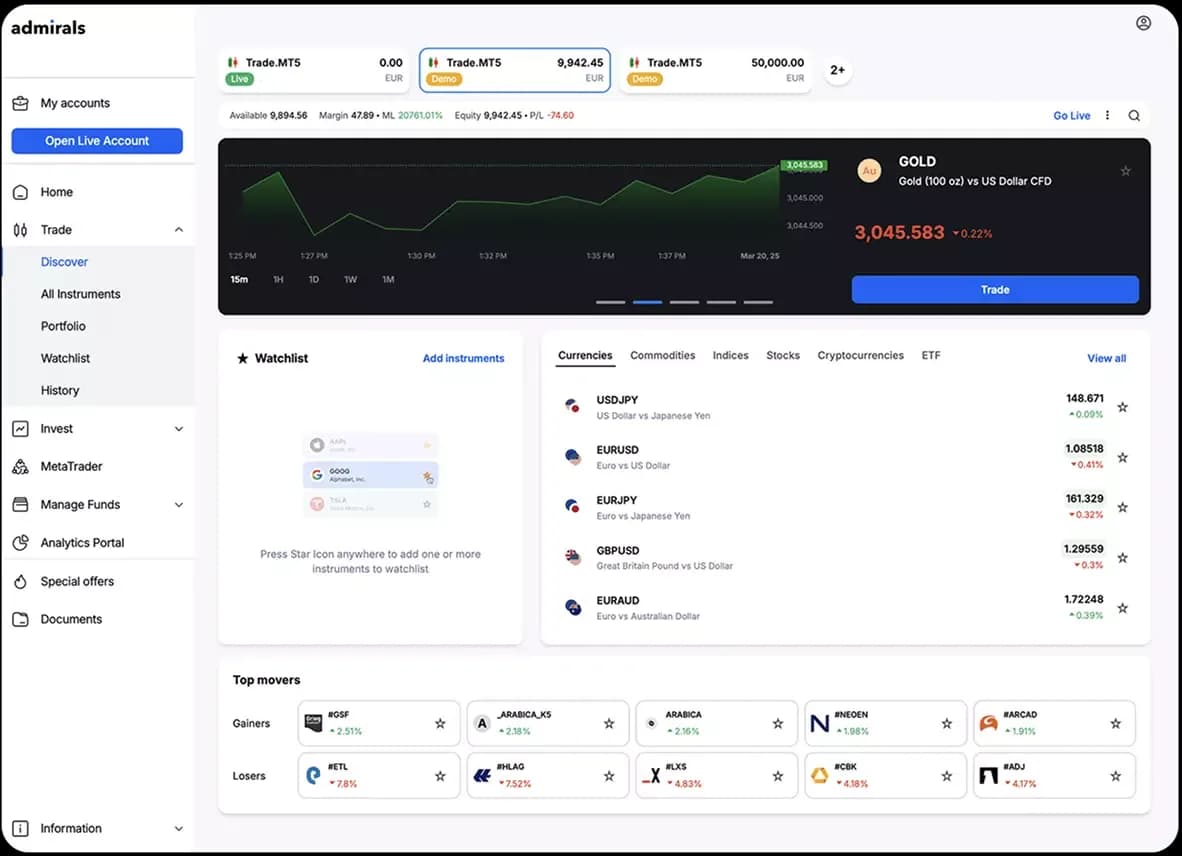
Admirals Platform
The proprietary platform (web and mobile) and the Supreme Edition suite, offered alongside MetaTrader.
Partner: Admiral Markets
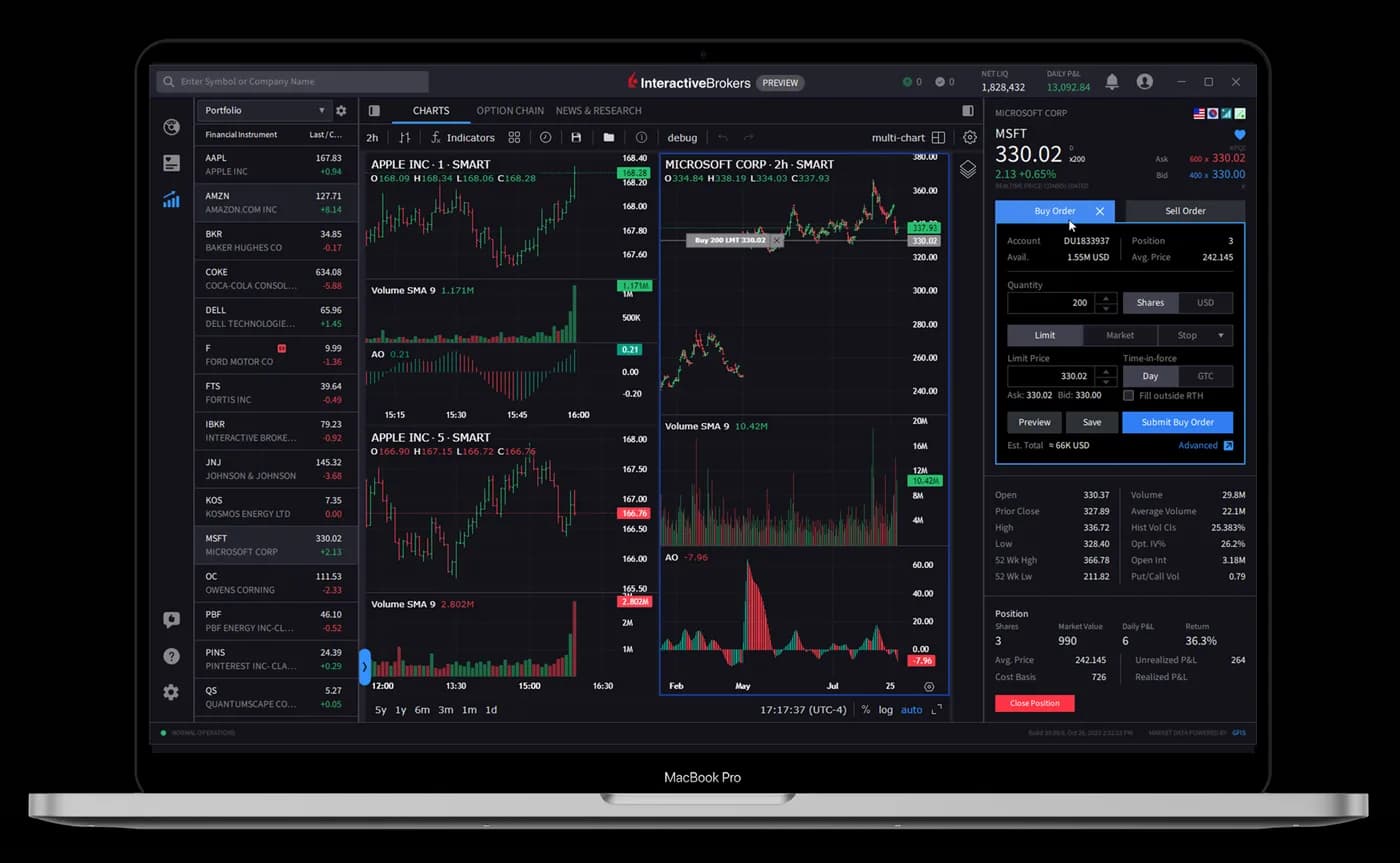
IBKR Trader Workstation
A professional platform for real global investing and complex portfolios.
Partner: Interactive Brokers
Our partners' platforms
All our partners are regulated brokers and banks, and each offers its own set of platforms. Below is the full table — which platform at which partner — grouped by specialisation. For details on each firm, see the regulated brokers page.
| Partner | Platforms offered | Specialisation |
|---|---|---|
| Banks with exchange services | ||
| Swissquote Bank | CFXDMT4MT5TradingViewSwissquote app | Spot investing + CFD trading |
| Saxo Bank | SaxoTraderGOSaxoTraderPROSaxoInvestor | Spot investing + CFD trading · EU clients |
| Brokerage companies | ||
| Interactive Brokers | Trader WorkstationIBKR DesktopIBKR Mobile | Spot investing + CFD trading |
| FxPro | MT4MT5cTraderFxPro Edge | CFD trading |
| AvaTrade | MT4MT5AvaTradeGOWebTrader | CFD trading |
| IC Markets | MT4MT5cTraderTradingView | CFD trading |
| Admiral Markets | MT4MT5AdmiralsSupreme Edition | Spot investing + CFD trading |
| Tickmill | MT4MT5TradingViewTickmill Trader | CFD trading |
| FXTM | MT4MT5FXTM app | CFD trading |
| HYCM | MT4MT5 | CFD trading |
| XM | MT4MT5XM app | Spot investing + CFD trading |
| Funding companies (prop) | ||
| FTMO | MT4MT5cTraderDXtrade | Evaluation + funded account (CFD) |
| FundedNext | MT4MT5cTraderMatch-Trader | Evaluation + funded account (CFD, futures) |
| Instant Funding | MT5cTraderMatch-Trader | Evaluation + funded account (CFD) |
| Crypto exchanges | ||
| Binance | Binance appTradingView | Crypto + spot investing (stocks, ETFs) |
| Bybit | Bybit appMT5TradingView | Crypto + CFD trading |
Essential features and indicators
Beyond simply placing orders, modern platforms have features that make the difference between a disorganised trader and a disciplined one. Here are the most useful.
Advanced charting
Several timeframes displayed at once and drawing tools for a complete analysis.
Technical indicators
Moving averages, RSI, MACD, Bollinger bands and dozens of other indicators are built right into the platform — even on the chart at the top of this page. See our guide to technical indicators.
Algo trading
Robots (EA or cBot) that execute a strategy automatically, without emotions and without you glued to the screen.
Strategy tester
Run a strategy on historical data (backtesting) to see how it would have performed before risking real money.
Indicators are analysis tools, not "buy/sell" buttons. Two traders can use the same indicator and reach different conclusions — what matters is how you interpret it in context.
Platforms for investing
The essential difference from short-term trading is this: when investing, you own the real asset (a stock or an ETF), unlike trading through CFDs, where you anticipate the price direction without owning the instrument.
For long-term investing, the relevant partners are Interactive Brokers and Saxo Bank (for EU clients). Both offer powerful platforms built for access to a wide range of global markets.
Platforms for prop trading
Funding companies use dedicated platforms to evaluate your performance before granting you trading capital. The most common at our partners are DXtrade, Match-Trader and cTrader, alongside MetaTrader. Before starting an evaluation, check which platform each program requires.
Platforms for crypto
For the crypto market, the relevant partners are Binance and Bybit, with their own web and mobile apps, TradingView integration and copy-trading tools. Unlike the classic currency-market platforms, these offer direct access to digital assets and to this market's specific instruments.
The professional trading desk and institutional platforms
Many active traders don't work on a single screen. A professional trading desk means several monitors, each with a clear role: charts, order list, news and the economic calendar.
One screen for charts, one for execution, one for news and the economic feed.
The desktop version offers the most features — essential for anyone trading daily.
Platforms like IBKR Trader Workstation are built for complex portfolios.
How the big players trade
Financial institutions — banks, hedge funds, trading firms — work with professional data terminals such as the Bloomberg Terminal or LSEG Workspace, with direct market access (DMA), connections over the FIX protocol and their own algorithmic execution systems. These platforms are paid, through monthly subscriptions that can reach thousands of dollars, and their cost is justified by the volume of data and the infrastructure behind them. The difference from retail platforms isn't "secrets", but speed, depth of data and the direct connection to the market.
Broker types and order execution
The platform and the way your order is executed are two different things. The same platform — say, MetaTrader 5 — can be offered both by a broker that is your direct counterparty (a market maker) and by one that sends your order into the market (NDD). The execution model isn't visible in the interface, but it influences price, spread, cost and speed.
In short, there are two families. A market maker ("dealing desk") is your counterparty, often has a fixed spread and suits beginners and small accounts. A no-dealing-desk (NDD) broker — with the STP, ECN and DMA variants — sends your order to liquidity providers, with a variable spread plus commission, and is preferred by active traders. Neither model is "good" or "bad" in itself; what matters is regulation and how well it fits your style.
Where the price comes from (the liquidity chain), how the broker feeds itself (spread, commission, swap), why charts differ between brokers, what's suspicious and what professionals and institutions use — all are explained at length on the page what a broker is.
How to choose the right platform
There is no "best platform" in general — there is a best platform for your profile. What matters is what you trade, how often, whether you want automation and which device you work from. Try the options in the selector below to see where to start.
What interests you most?
Platform comparison table
Chapter 10 shows which platform each partner offers. Here you compare the platforms against each other, feature by feature.
| Platform | Type | Charting | Algo | Copy |
|---|---|---|---|---|
| MetaTrader 4 | CFD | Good | EA (MQL4) | via third parties |
| MetaTrader 5 | Multi-asset | Very good | EA (MQL5) | Yes |
| cTrader | CFD ECN | Excellent | cBot (C#) | Native |
| TradingView | Charting/social | Excellent | Pine Script | social ideas |
| CFXD (Swissquote) | CFD | Very good (TradingView) | OCO / IF-DONE orders | – |
| SaxoTraderGO/PRO | Multi-asset | Very good | API | – |
| IBKR TWS | Global investing | Very good | API | – |
| DXtrade / Match-Trader | Prop/CFD | Modern | limited | Yes |
| Binance / Bybit | Crypto | Good + TradingView | bots / API | Yes |
Frequently asked questions, by profile
Can I access these platforms from the Republic of Moldova?
Are the platforms available in Romanian or Russian?
Do I have to pay for a trading platform?
Can I practise without real money?
Which platform is easier for a beginner?
MT4 or MT5 — which should I choose?
Can I use several platforms at the same broker?
Which platform has the best charts?
Which programming language does each platform use?
Do I need a VPS to run robots 24/5?
Want to try a platform safely?
Open a demo account with one of our regulated partners and practise with virtual money, risk-free. The Trading.md team helps you at every step.
Disclaimer
This article is for educational and informational purposes and does not constitute investment advice. Trading and investing in financial markets involve risk, including the risk of losing the capital you invest. Trading.md (Royal Consulting SRL) is a partner firm of regulated international brokers and does not provide trading signals or profit guarantees. Do your research and assess your risk tolerance before making any decision.